
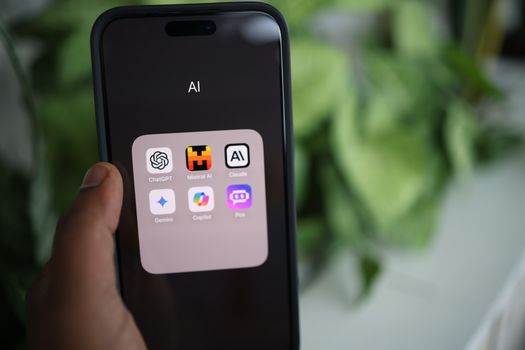
In 2026, building an app with AI is no longer a promise, it is routine. Anyone can describe an idea in plain English and get a working prototype in a few hours, with screens, a database and even login generated from natural language. The question that matters has changed: it is no longer "can I build an app with AI?", but "what do I do with what the AI generated?".
This guide answers honestly what artificial intelligence delivers well, where the generated code breaks in production, and at what point the project needs real engineering. No fearmongering and no hype: FWC uses AI in its own development workflow every day and knows where it accelerates and where it charges the bill.
In this article
- What AI already does well in app creation
- Where the AI-generated app breaks
- Validated prototype vs production product
- How serious companies use AI in development
- Recommended path if you have an app idea
- Frequently asked questions
What AI already does well in app creation
AI's strength today is the speed of the first version. Generation tools turn a text description into a navigable app, with interface, data and basic flows working. What used to take weeks of manual setup now happens in minutes.
You can group the tools into three practical categories. Full app generators (like Lovable and Base44) assemble frontend, backend and deploy from a single prompt. No-code platforms with AI (like Glide) are strong for internal apps and simple CRUDs. Code assistants (like Claude and Copilot) speed up people who already code, generating functions, tests and boilerplate under review.
The gains are real and measurable. Setup tasks that used to take days, like building signup screens, forms and database structures, come out in minutes. For product teams, this shortens the cycle between having an idea and seeing something clickable on screen, which changes how you validate hypotheses.
This practice of describing in natural language and letting the AI write the code earned the nickname vibe coding. It is great for three concrete things: validating an idea fast, building an MVP to show investors, and removing repetitive screen and configuration work. If you want to understand the full process before you start, read our guide on how to build an app from scratch.
Where the AI-generated app breaks
The prototype impresses in the demo and fails in the real world. The reason is simple: AI optimizes for "looks like it works", not for "survives production". The breaking points are predictable.
Security. Veracode's 2025 GenAI Code Security Report, which tested more than 100 models, found security flaws in 45% of AI-generated code. Recurring patterns include credentials written directly into the code, outdated dependencies and missing input validation, as detailed in the Help Net Security analysis.
Data protection and privacy. An app that collects personal, location or payment data needs a legal basis, consent and access control. AI rarely implements this unless instructed, and pasting real data into the prompt to "explain the problem" can expose information outside the company perimeter.
Architecture for scale. Code that runs for ten users often stalls with ten thousand. Caching, queues, database indexes and infrastructure cost limits are architecture decisions the AI does not make on its own.
Integration with existing systems. Few apps live in isolation. Connecting to an ERP, a payment gateway or third-party APIs requires error handling, data reconciliation and credential security. AI tends to simulate these connections with mocks instead of solving the real integration, and the difference only shows up once the system goes live.
Maintenance. The 2025 Stack Overflow Developer Survey shows the hidden cost: 66% of developers say they spend more time fixing "almost right" AI code, and trust in the accuracy of these tools has dropped below one third. Code no one understands is expensive to maintain, even if it was cheap to generate.
Validated prototype vs production product
The distance between the two is not a detail, it is most of the work. The table below shows what changes when the app stops being a demo and starts serving real customers.
| Dimension | AI-generated prototype | Production product |
|---|---|---|
| Authentication | Basic login, often without session control | Robust auth, roles, recovery and 2FA |
| Data and privacy | No data protection handling | Consent, encryption and legal basis |
| Infrastructure | Runs for a few users | Scale, caching, queues and cost control |
| Testing | Nonexistent or shallow | Automated tests and monitoring |
| Integrations | Isolated or mocked | Connected to payments, ERP and real APIs |
| Maintenance | Hard-to-evolve code | Documented, versioned architecture |
| Support | None | SLA, fixes and continuous evolution |
None of these columns is optional in a product that charges customers or stores their data. It is exactly this set of requirements, invisible in the demo, that separates a weekend of vibe coding from a system that holds up the business.
How serious companies use AI in development
The common mistake is framing the choice as "AI or engineering". The real middle ground, and the one that works, is AI inside an engineering workflow with human review. The AI writes the draft; the team guarantees security, architecture and quality.
In practice, the workflow has three layers. The AI generates the draft and suggests solutions; automated analysis tools flag vulnerabilities and style issues; and the engineer decides what goes in, adjusts the architecture and takes technical responsibility. None of these layers alone delivers reliable software, but together they combine the speed of AI with the safety of engineering.
That is exactly how FWC works. We use AI to speed up code generation, testing and documentation, always with review by engineers responsible for the final decision. We detail this process in how we integrate AI into our development workflow.
This model also applies when the challenge is not a new app but evolving an old system with AI support without breaking what already works, a topic we cover in our guide on legacy system modernization. Across 6 years and more than 30 apps delivered, the pattern repeats: AI accelerates, engineering guarantees.
If you have already validated a prototype and want to turn it into a real product, talk to an engineering team before scaling what the AI generated.
Recommended path if you have an app idea
There is no conflict between using AI and hiring engineering. There is a sequence. To move an idea forward with the least risk, follow three steps.
- Validate with AI. Generate a prototype with a vibe coding tool and test the idea with real users before investing heavily.
- Estimate the cost. With the idea validated, use our app price calculator to get an investment range in minutes.
- Build with engineering. Take the prototype to a team that turns the demo into a secure, scalable and maintainable product.
It is worth separating two scenarios that are often confused. One is building an app using AI as a development tool, the focus of this guide. The other is building an app that has AI embedded as a feature, like assistants and automations; in that case, see AI agents for companies and the guide on how much it costs to develop an app with artificial intelligence. And if your idea targets a specific niche, like delivery, check how much it costs to build a delivery app.
Frequently Asked Questions
Can I build an app with AI without knowing how to code?
Yes, for prototypes and simple apps. Vibe coding tools generate screens and flows from plain-language descriptions. For an app with security, data protection and scale, however, engineering review is still needed, because the AI does not guarantee those layers on its own.
Is an app made with AI secure?
Not by default. Research points to security flaws in around 45% of unsupervised AI-generated code, such as exposed credentials and vulnerable dependencies. The code becomes secure when it goes through human review, testing and good practices before reaching production.
Can you put an AI-generated app into production?
A prototype is rarely production-ready. It validates the idea, but usually lacks robust authentication, data handling, testing and infrastructure to scale. The safe path is to use the prototype as a base and rebuild the critical parts with engineering.
What is vibe coding?
Vibe coding is creating software by describing what you want in natural language and letting the AI generate the code, without writing syntax manually. It is fast for prototyping and validating ideas, but requires technical review when the goal is a real product in production.
How much does it cost to turn an AI prototype into a professional app?
It depends on scope, integrations and the level of security required. Projects usually vary by features and timeline, from 30 to 120 days. The fastest way to get a range is to use the price calculator and then request a detailed quote.
Next Step
Request a quote or get a price estimate for your project.